Your account all in one place
Profile, plan & credits, usage, payments & invoices, and security. Open it from the circle with your initial, top right.
All plansWhat it is and what it is for
Your account has a menu on the left (on your phone, a strip at the top) with the usual sections: Profile, Plan & credits, Usage, Payments & invoices and Security. With a business plan you also get Team. From here you change your photo and name, see how many credits you have left and when your plan renews, check which tools you used them on, download invoices, change your password and sign out of all your devices.
What it looks like
How to use it, step by step
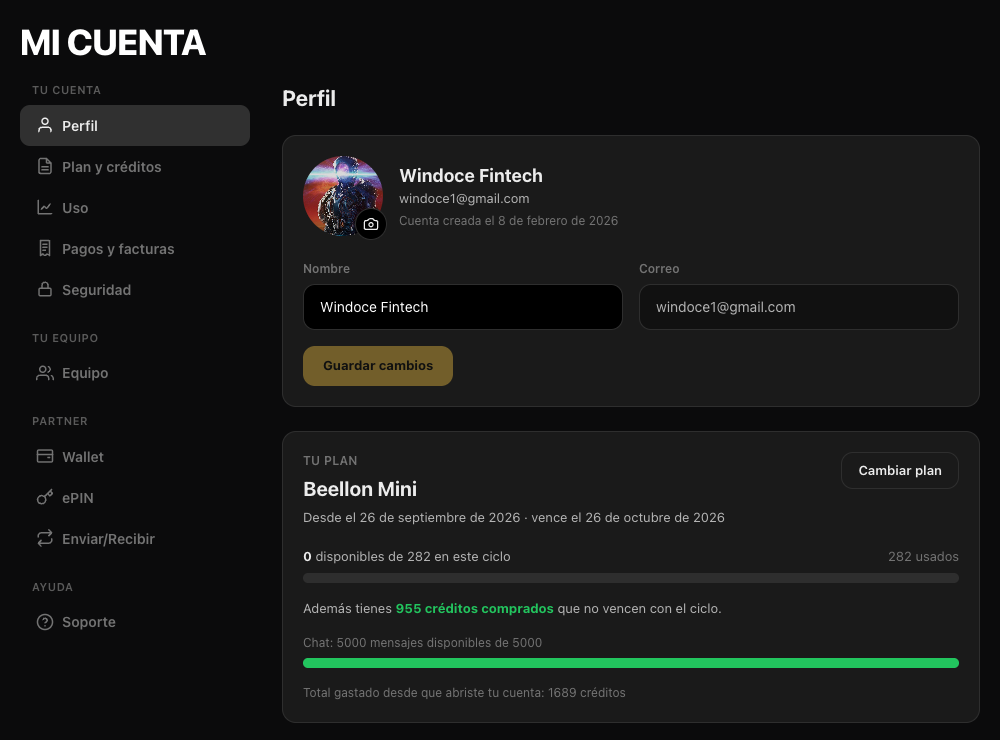
Tap the camera to change your photo (JPG, PNG or WebP, up to 2 MB). Change your name and tap “Save changes”. Below you see the “Your plan” card.
The green bar shows the credits you have left in the cycle; separately you see the credits you bought and your chat messages. From here you change plans or buy more credits.
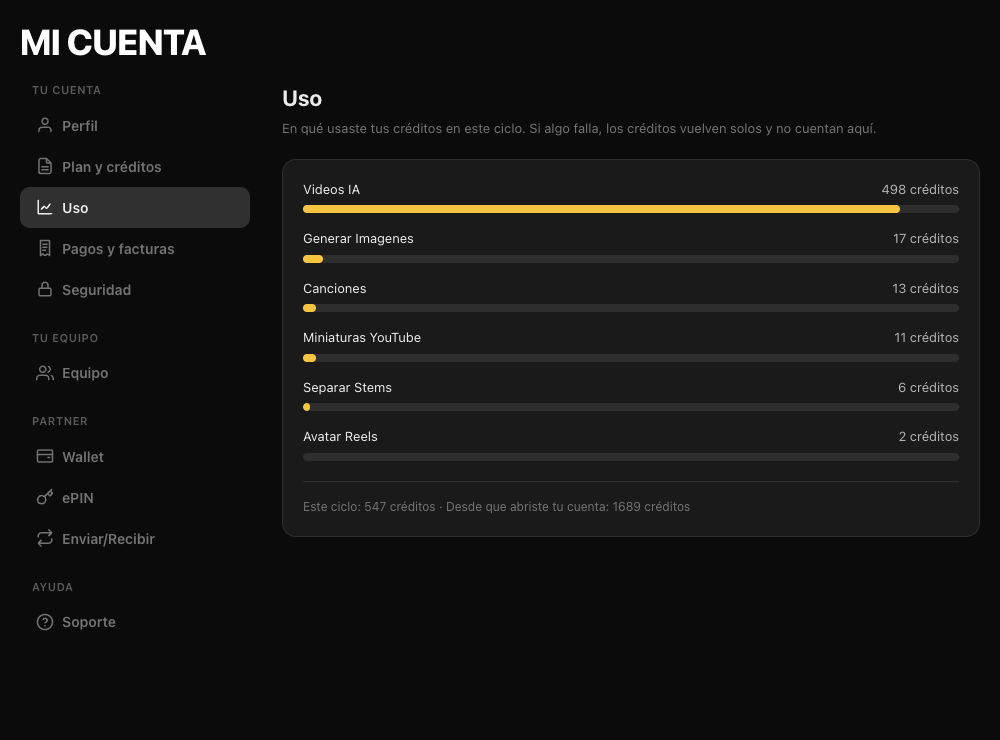
Which tools you used your credits on this cycle and the total since you opened your account. If something fails, credits come back automatically.
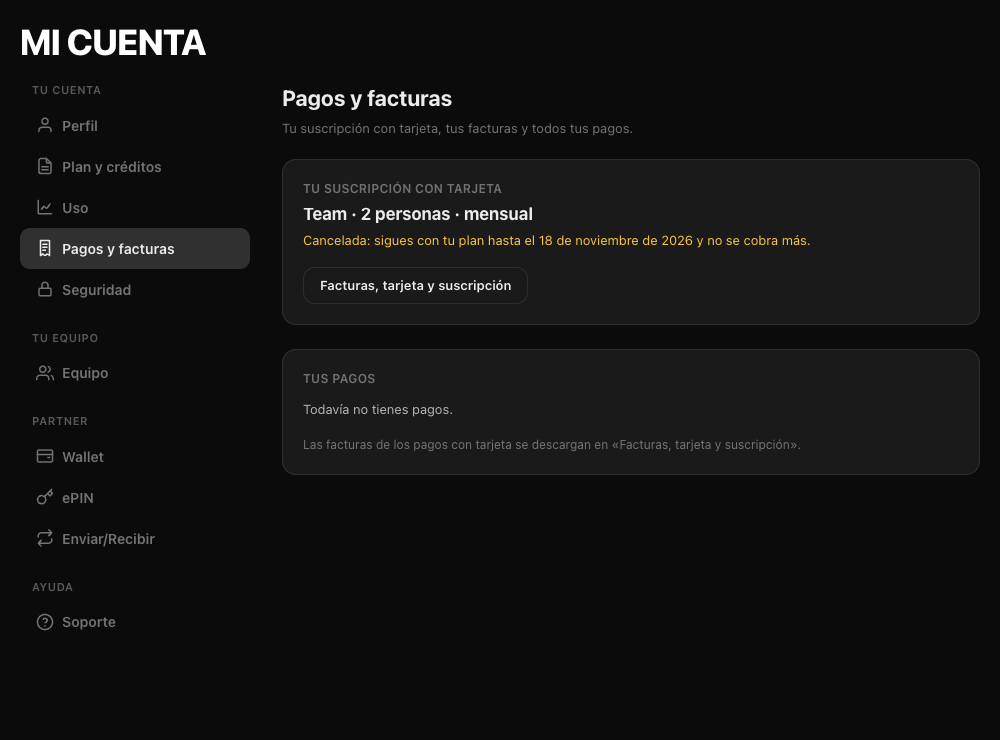
Your card subscription, the button to download invoices or change your card, and the list of all your payments.
Change your password (with the eye icon to see it) and sign out on this device or on all of them.
Tips for better results
- Forgot your password? On “Log in” tap “Forgot your password?”, type your email and you get a link to create a new one. Open it in the same browser where you requested it.
- If you sign in with Google you do not have a Beellon password: keep using “Continue with Google”.
- What you type in your name is saved as you type; if your connection drops it is not lost.
- To cancel your plan see the “Cancel your subscription” guide.
Use cases
Know how many credits you have
Profile or Plan & credits: the green bar tells you at a glance.
Get an invoice
Payments & invoices → “Invoices, card and subscription”.
You lent your computer
Security → “Sign out of all devices”.
You do not remember your password
Log in → “Forgot your password?”.
Related tools
Beellon account: profile with photo and name, plan and credits with available credits bar, purchased credits and chat messages, usage per tool, payments and invoices, change password, reset a forgotten password by email and sign out of all devices.
Start using Your account
Create your Beellon account, activate your plan and use Your account with AI today.
Create a free account