Music your song in a minute
Describe the song you want and get it complete: vocals, lyrics and cover art. Then you can split it into stems.
Paid plansWhat it is and what it is for
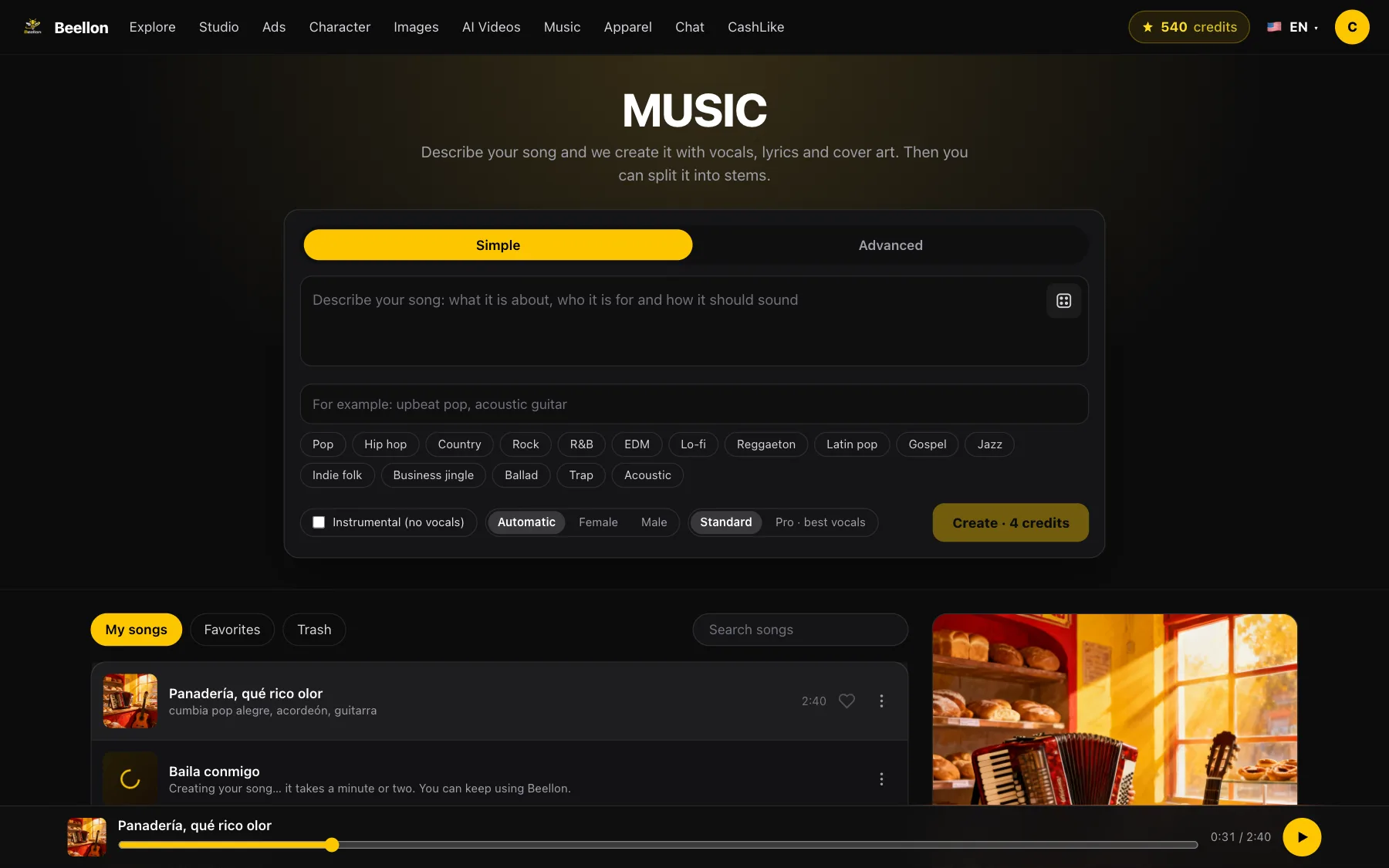
Music creates complete songs with artificial intelligence: melody, instruments, vocals singing in English or Spanish, lyrics and cover art. Just describe what it is about and how it should sound; if you have no lyrics, we write them for you, with verses and a catchy chorus. In Advanced mode you add your own lyrics, the title, the styles you want and the ones you do not, and you choose a female or male voice. You can also ask for an instrumental track with no vocals. Every song runs two to three minutes, is saved in your library and, while it plays, the line being sung lights up. With one tap you split it into six stems — vocals, drums, bass, guitar, piano and other — for karaoke, remixes or your own editing software.
What it looks like

How to use it, step by step
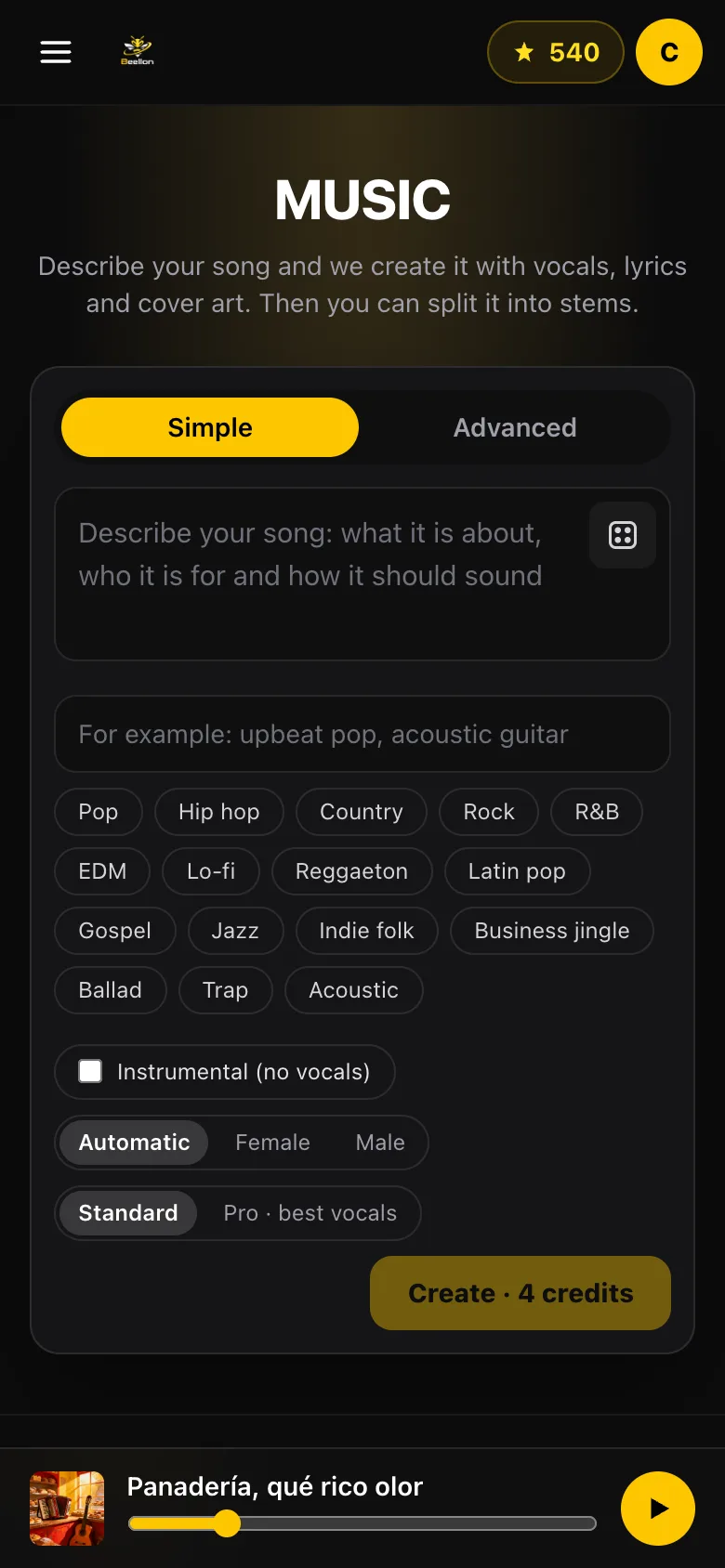
What it is about, who it is for and how it should sound. Out of ideas? Tap the dice for a suggestion.
Type it or tap a genre: pop, hip hop, country, rock, R&B, EDM, lo-fi, business jingle and more.
Automatic, female or male voice, or check Instrumental for no vocals. Standard costs 5 credits; Pro, with the best vocals, 12.
Paste your own lyrics with [Verse], [Chorus] and [Bridge], add a title and list the styles to avoid.
In a minute or two your song shows up in your library with its cover. You can keep using Beellon meanwhile.
Tap the cover to listen, download the MP3 or split it into six stems for 7 credits, each with its own play and download button.
Tips for better results
- The clearer the idea, the better the song: who it is for, the moment and the mood.
- For a business, include the name and what you sell: you get a jingle ready for your ads.
- If you write your lyrics, keep lines short and use a chorus that repeats.
- If something fails, your credits are refunded automatically; tapping twice never charges twice.
- Deleted songs go to the trash and can be restored for 30 days.
Use cases
Businesses
Jingles for your ads, store or channel, with your brand name.
Special occasions
Birthdays, anniversaries, weddings and dedications with a one-of-a-kind song.
Creators
Your own music for your videos, with no copyright issues from other artists.
Musicians and karaoke
Pull out the vocals or the drums to practice, remix or sing along.
Related tools
Create songs with artificial intelligence on Beellon: complete songs with vocals in English or Spanish, AI-written or your own lyrics, cover art, female or male voice, styles to avoid, instrumental music, business jingles, birthday songs, synced lyrics and six-stem separation (vocals, drums, bass, guitar, piano and other) for karaoke and remixes.
Start using Music
Create your Beellon account, activate your plan and use Music with AI today.
Create a free account