Explore Beellon everything one tap away
When you log in you land on Explore: every tool, your credits and your account up top; sample videos, shortcuts and your latest creations below.
All accountsWhat it is and what it is for
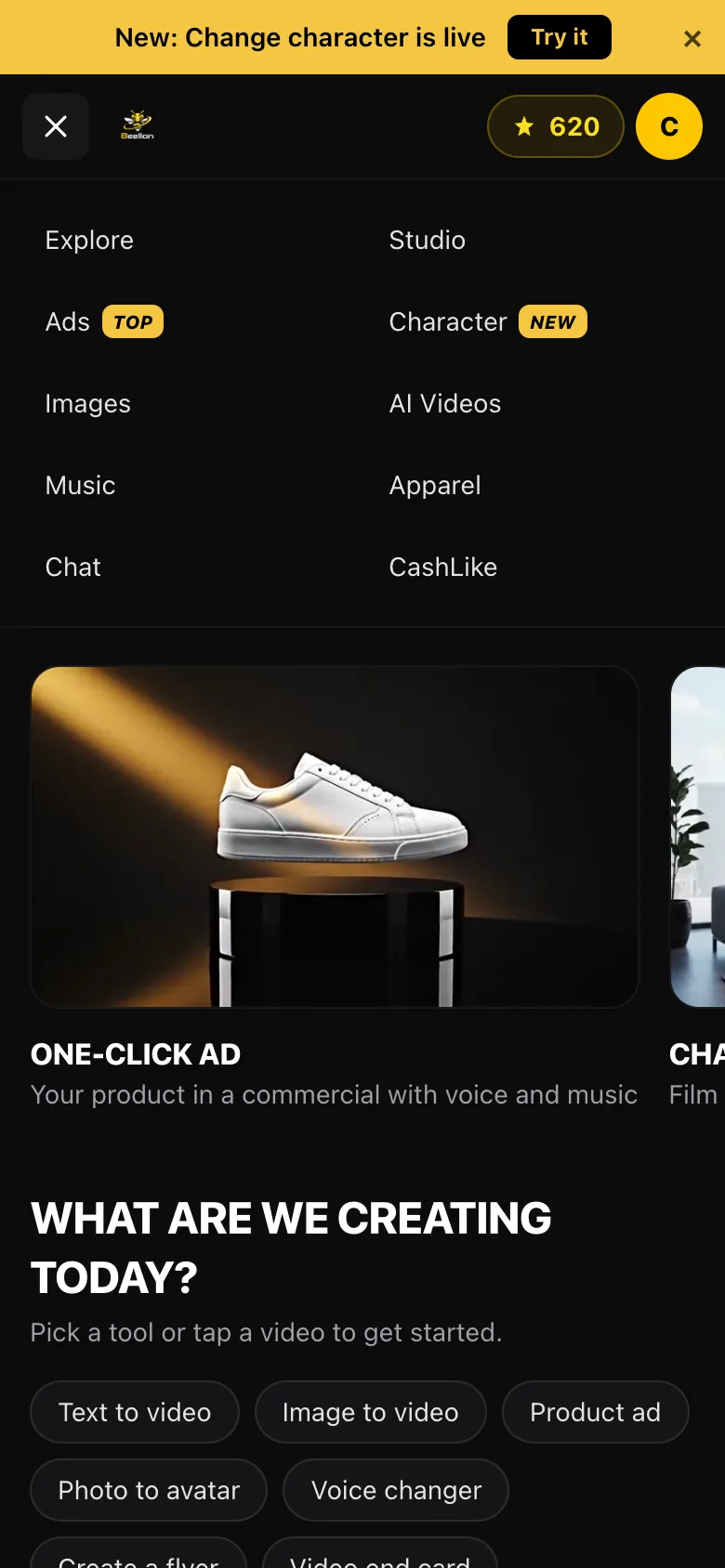
Explore is the Beellon home screen. One menu at the top holds every tool — Studio, Ads, Character, Images, AI Videos, Music, Chat and CashLike — so you can reach any of them in one tap and never get lost. Next to it you always see your available credits and your account button, where you buy credits, change settings or language, and log out. On the screen itself you get moving examples of what you can make, quick shortcuts, the tools as cards and your recent creations, images and videos together, newest first.
What it looks like

How to use it, step by step
You land right on Explore.
The top menu has every tool. The one you are using is highlighted in yellow. "New" and "Top" tags point out the latest and the most popular.
Tap any video in the strip or a shortcut such as "Text to video" or "Photo to avatar" to open that tool ready to go.
The yellow counter up top shows the credits you have left. Tap it to buy more.
"Your recent creations" shows your latest images and videos. Videos still being made show a notice until they are done.
Tap the circle with your initial: My account, Buy credits, Settings, Docs, language and Log out.
Tips for better results
- In Chat, your conversations live in the left panel; on a phone, tap "Chats" to see them.
- To delete a conversation, tap the three dots next to it and choose "Delete chat"; we ask you to confirm so nothing is deleted by accident.
- Logging out fully signs you out of that screen, which is ideal on a shared computer.
- If your account has no plan yet, paid tools take you to activate one.
Use cases
Businesses
Go from your ad to your images and chat without hunting for anything.
Creators
Pick up your latest videos and images right from the home screen.
Teams
One menu for everyone: easy to teach and easy to learn.
On your phone
The whole menu in one tap, with your credits always in view.
Related tools
Explore Beellon: home screen of the AI creative studio. One menu with every AI tool (video, ads, change character, images, flyers, music, chat), credits in view, account menu, language switch, log out, recent image and video creations.
Start using Explore Beellon
Create your Beellon account, activate your plan and use Explore Beellon with AI today.
Create a free account